

 Process Central
Download and manage all your Process.Audio plugins
One app for macOS and Windows to install, update, try and buy every plugin, and keep your licenses in one place.
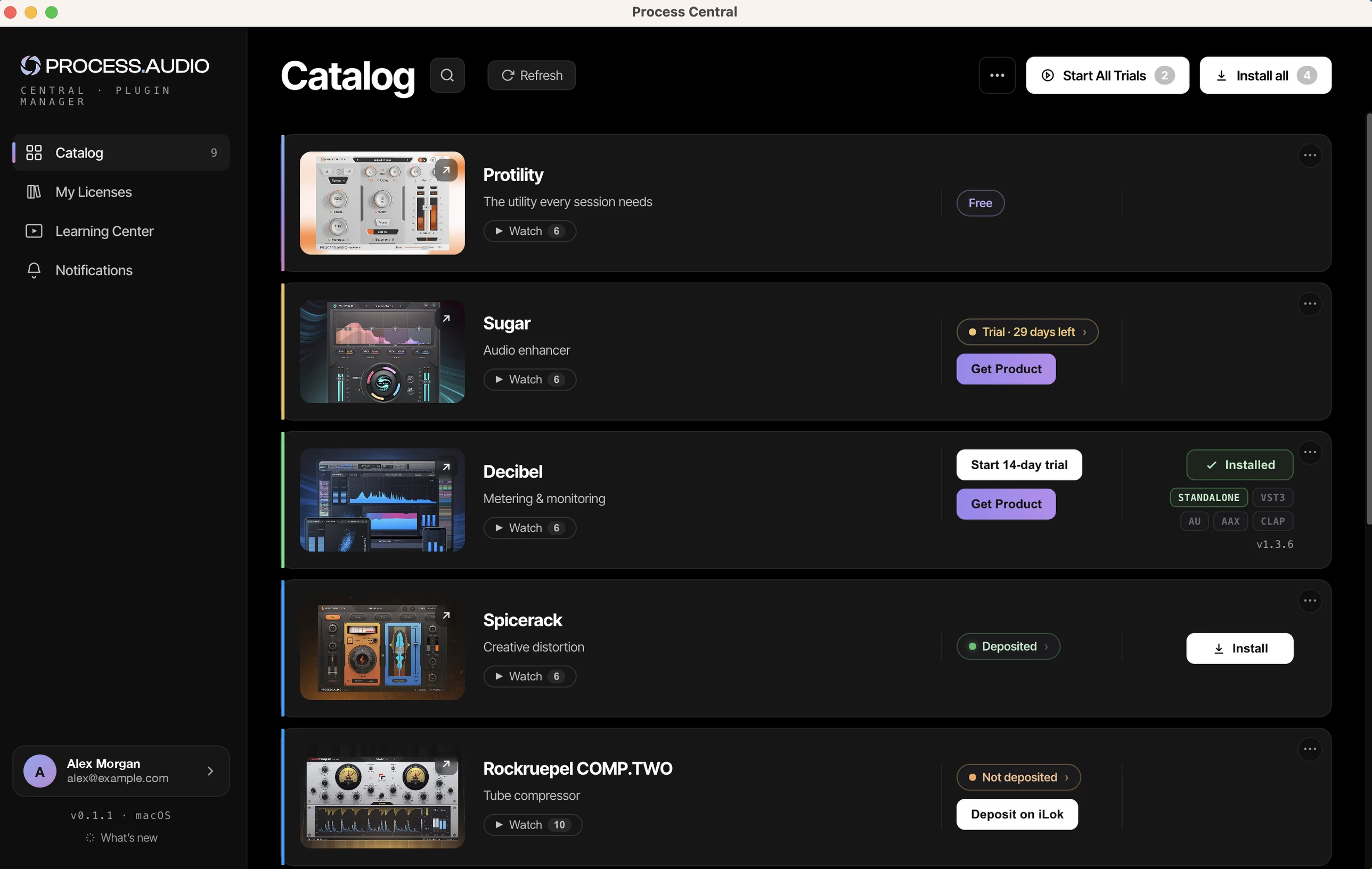
The Process Central interface, with demo data.
Everything you do with your plugins, in one window.
Install and update
Every Process.Audio plugin in one catalog. Install one, or all of them at once, and keep them up to date.
Free trials in one click
Start a 30-day free trial of any plugin from the catalog, then install it right away.
Always in the loop
See which formats are installed, get a heads-up before a free trial ends and find what's new in each plugin.
Licenses and iLok
Connect your iLok once and see every license you own, on trial or free, with its status.
Learning Center
The tutorial videos for each plugin, a click away from the plugin itself.
Your setup, your way
Choose the formats you install (VST3, AU, AAX, CLAP), roll back to another version, and find your orders and receipts.
Three steps, then you're making music.
Sign in
Use your Process.Audio account, or Google, Facebook or Puremix.
Connect your iLok
Once. Your licenses are activated on your iLok account.
Install, try or buy
Pick a plugin, start its trial or buy it, and it is in your DAW after a rescan.
Get Process Central
Sign in with your Process.Audio account, connect your iLok and your plugins are one click away.