
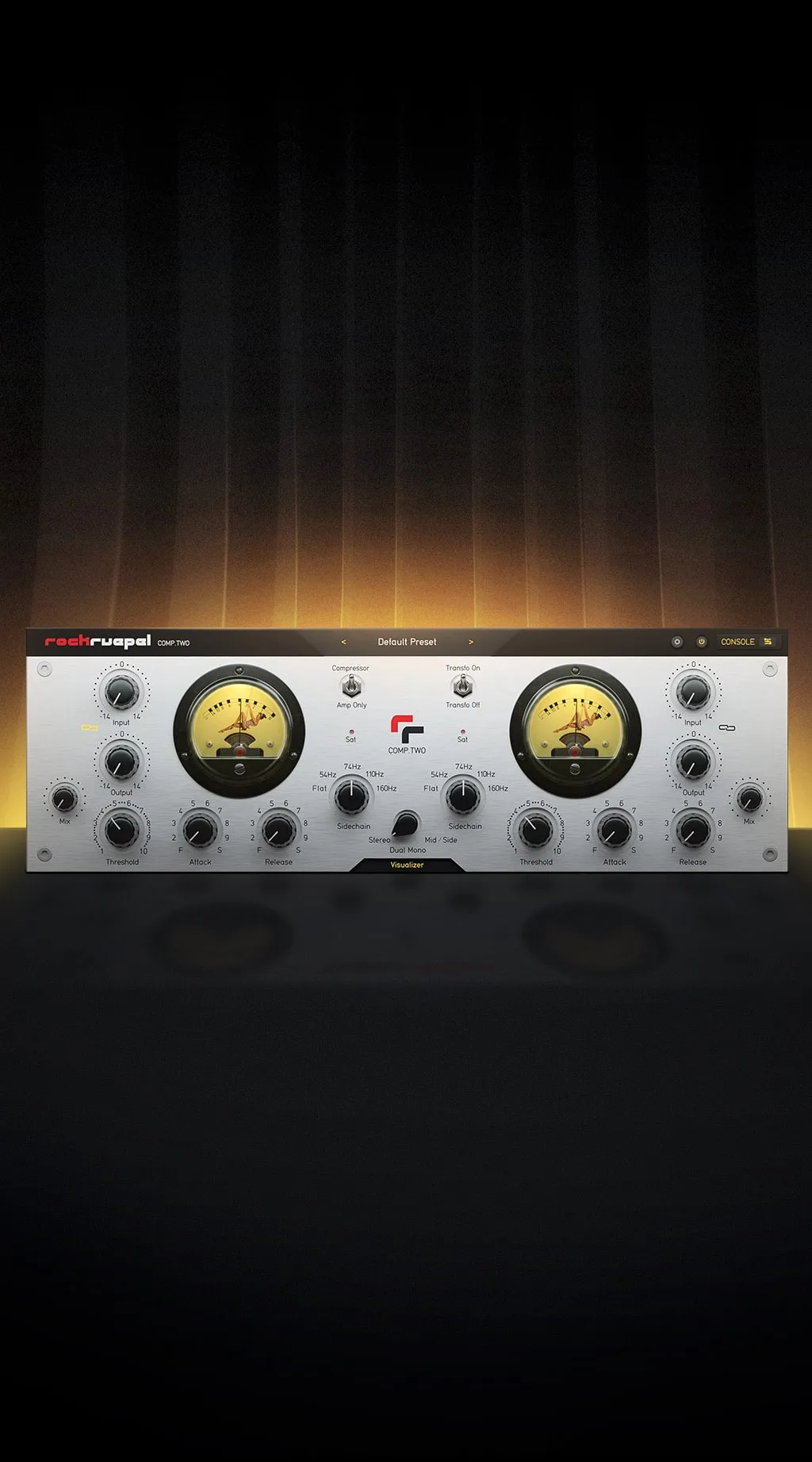
Modern tube compressor
The Rockruepel History

The Rockruepel History
Oliver Gregor, soldering iron in hand, has been building all sorts of machines since kindergarten. It is during his tenure as a tech at Skyline Studios in Düsseldorf that his love for music and electrical engineering merged into a relentless quest for creating the best audio equipment.
Amp only & transformers

Amp only & transformers
The appeal of a compressor is as much the inherent sound of the unit as its ability to compress material. Using the same type of output tubes as the old Altec and RS124 compressors and with beautifully sounding Sowter transformers in the output stage, the COMP.TWO is also a great vibe box, with or without compression.
One+Time=Two
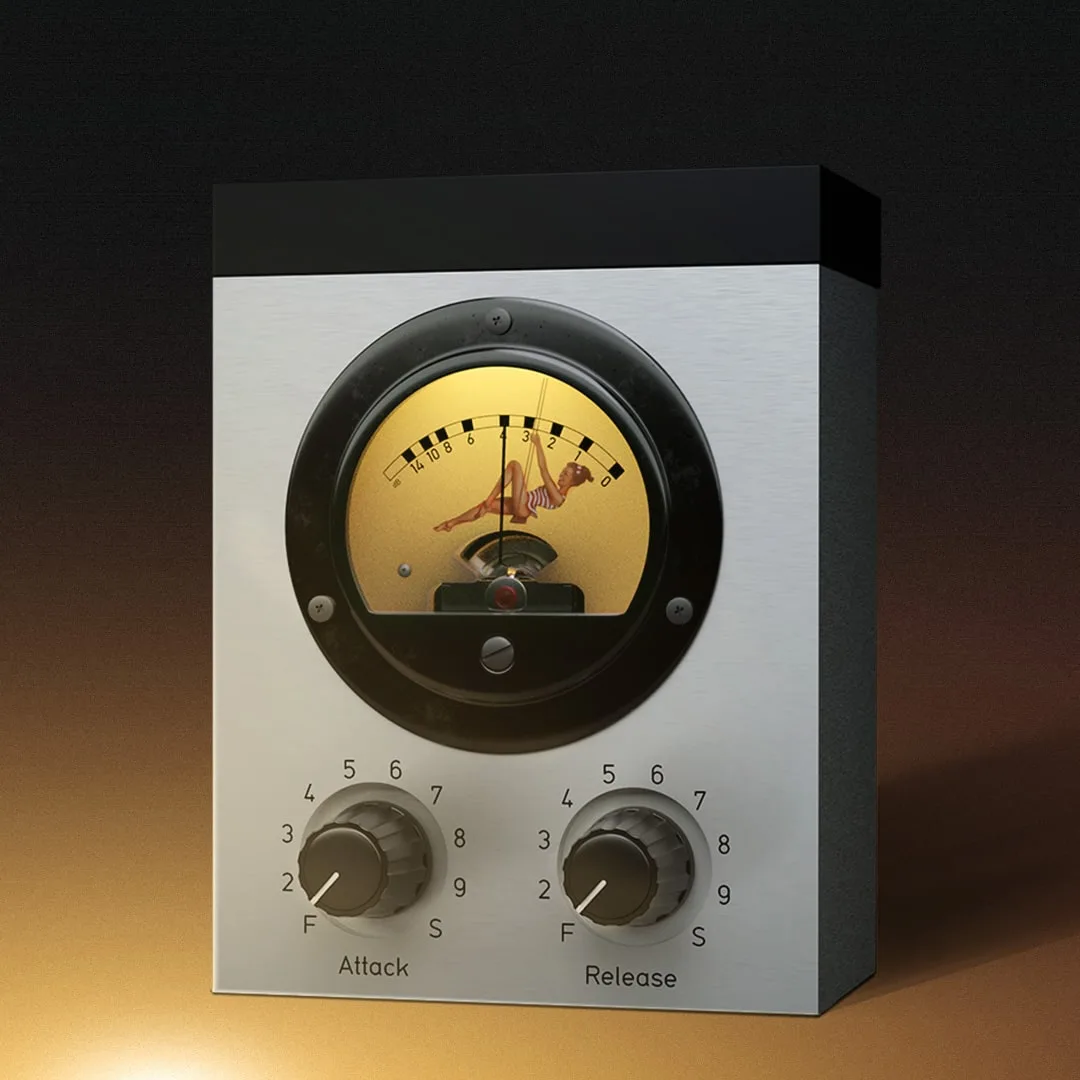
One+Time=Two
A compressor is only as useful as its side chain is smart and flexible. Through years of refinement Oliver made sure that COMP.TWO has none of the limitations of traditional monolithic vari-mu circuits and can be as clean or as dirty as you need, as fast as an 1176 or as slow as a Fairchild, all with the texture and tone of a classic tube compressor.
Modern controls
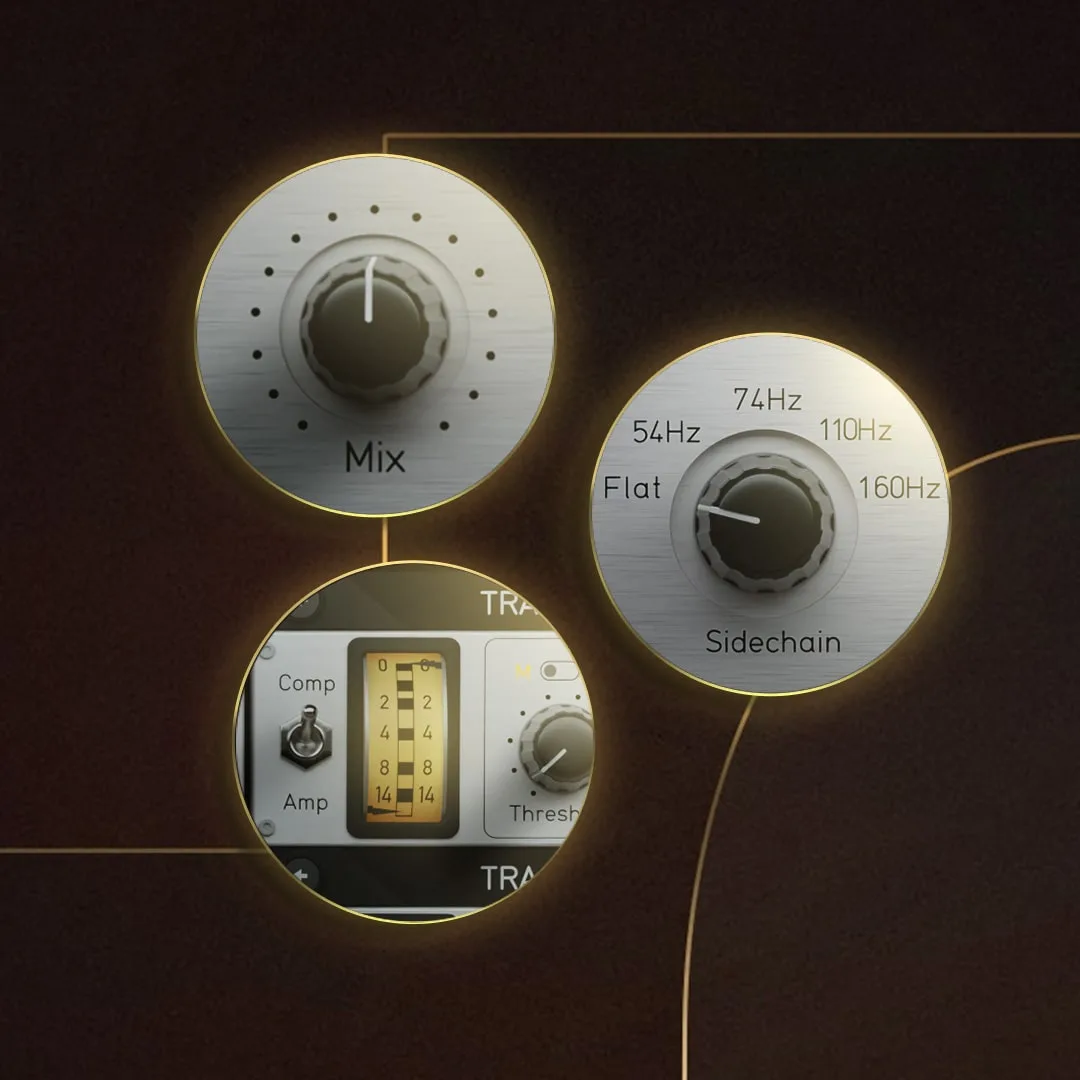
Modern controls
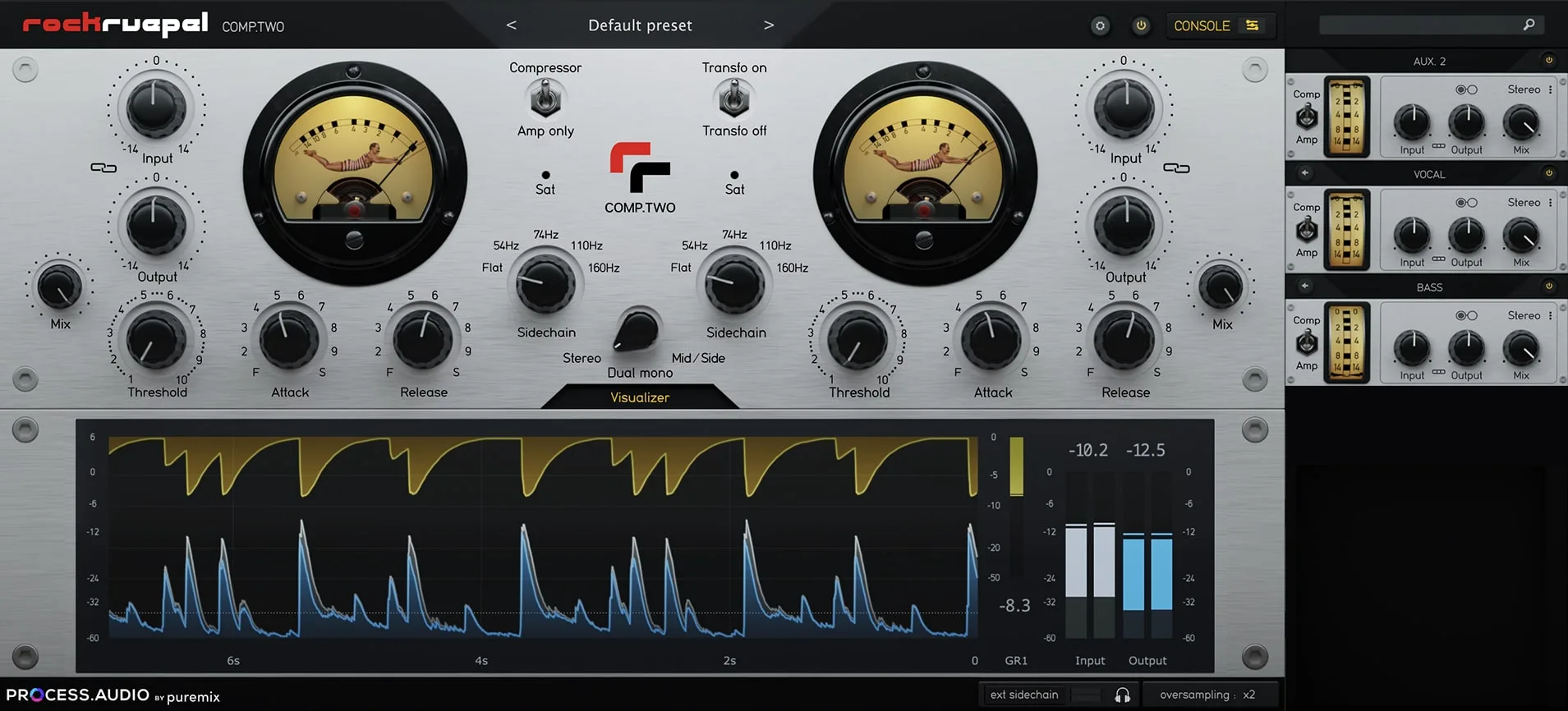
The team at PROCESS.AUDIO captured and recreated every nuance of the hardware and added its signature set of controls, like the Console Remote which lets you control all instances of the COMP.TWO plugin from a central interface, MS capabilities, high-pass filter on a sidechain, DRY/WET control, and of course, lots of presets designed by world-class producers and mixers.
Visualisation
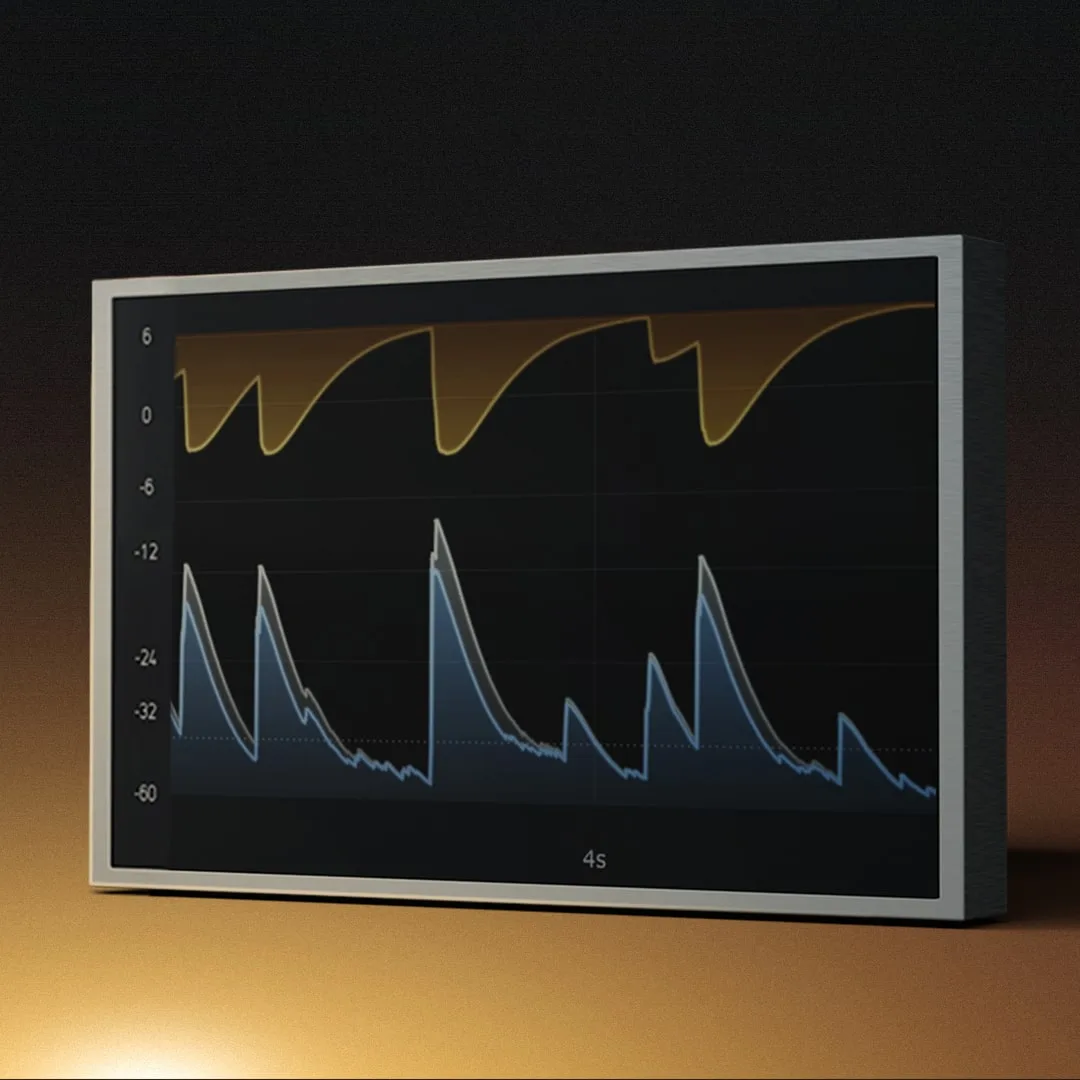
Visualisation
Compression can be tricky to perceive, so PROCESS.AUDIO created a visually pleasing and easily readable gain reduction visualizer to aid in precise gain matching and provide a true understanding of the impact of the settings on the program material. That's in addition to faithfully recreating the two gorgeous VU meters of the hardware units.
Get that perfect sound instantly.
Compare versions
All before/after examples explained
- Bass 1
- The compression here is more subtle and highlights the smoothness of the plugin. Listen for how the energy of the performance is more consistent and the individual notes are more glued together without feeling overly processed.
- Bass 2
- The Comp.Two plugin adds a nice edge in this example from driving the input hard. Combined with the compression, this helps add attitude to the sound while gluing the lower and higher notes together more.
- 808 Bass
- Driving the plugin hard adds rich harmonics that bring this otherwise stock-sounding 808 to life to help it cut through a dense mix and translate on smaller speakers. The use of the highpass sidechain keeps the bottom end intact as well.
- Synth Bass
- The compression here is used subtly with moderate attack and release settings. But it brings a noticeable extra weight to the bass and the subtle extra excitement from the saturation adds a nice shine and articulation too.
- Drum
- The difference here is quite obvious. But listen for how the combination of compression and saturation from the plugin adds groove and excitement to the drums. The extra sustain of the snare is particularly welcome.
- Room
- There’s already some saturation and compression happening in this raw drum room recording. The Comp.Two plugin gives it an even more bombastic quality using a fast attack and super-fast release to round off transients and exaggerate the size of the room.
- E Drums
- These drums are already consistent and feel great. So using the Comp.Two plugin with a slow attack and fast release in parallel just adds extra weight and sustain to keep them on top of a mix. The extra saturation from the plugin helps add a nice presence too.
- Kick
- Listen for how using the Comp.Two plugin in parallel adds sustain and extra smack to the kick while helping to even out differences between individual hits.
- Snare
- In this example, the Comp.Two plugin is used in parallel. Listen for how the compression adds extra weight to the snare, drawing it forward and making it feel more consistent and important.
- AC Gtr
- Here, the plugin is used to aggressively knock back the peaks of the guitar. This stops the transients from getting too detached from the sound and will keep the guitar steady in a dense mix.
- E Gtr
- Here the compression adds a subtle tube shine to the guitar while keeping the chugging at the end of the example more consistent. This setting is great for leveling out a performance musically and unobtrusively.
- Piano
- The compression is used more aggressively here to bring out the attack of the piano. Listen for how the piano feels like it dances more and gains a bit of the shimmering Elton John piano quality with the compression in.
- Rhodes
- Here the saturation of the plugin is used to full effect to add a vintage growl to the Rhodes. The compression also helps bring up the lower levels of some of the chords to keep the energy consistent.
- Strings
- The compression is used in parallel here with the input driven for more saturation. Listen for how this brings out the attack of the bow on the strings more.
- 2Hearts
- The Comp.Two plugin is used in Mid/Side in this example to enhance the width and space of the mix. Listen for how the lead vocal feels more glued to the mix and the space expands outwards with the compressor in.
- Like You Do
- Using the rockgluepel preset, we’re able to bring the vocal forward and add a nice density and tube warmth to the overall mix.
- Sambafled
- The compression effect is more subtle here, but listen for how it adds a more immediate feel to the mix and adds groove by drawing the pulsating pad element forward.
- Female Voc. 1
- Here, the Comp.Two plugin adds a nice shine to the vocal, while smoothly controlling the dynamics. Listen for the transition where the singer starts pushing more on the words “at all” to hear how the compression keeps the vocal steady while still remaining musical.
- Female Voc. 2
- The input is driven on the plugin and the compression blended in in parallel to add subtle density and shine to this vocal that will help it keep its spot in a mix. Listen to the difference in steadiness of the voice on the line “all of this is waiting for you.”
- Man Voc. 1
- The compression is used in parallel for this example with a super gentle release. Listen for how this adds density to the vocal and helps smooth out the sound making it feel less angular and peaky than the raw recording.
- Man Voc. 2
- Listen for the bursts of energy on the words “ugly,” “shade,” and “but” in the raw recording. Used with fast attack and release settings, the Comp.Two plugin tames these peaks nicely. The more aggressive settings coupled with driving the input also add a nice edge that feels appropriate for this style of vocal.
- Rap Voc.
- The Comp.Two plugin is used subtly here to add some finishing glue to a vocal that has already been tracked with some compression. The saturation combined with pushing the peaks back a few db subtly thickens the vocal, making the performance feel steadier and more engaging.
Testimonials



or learn how to use COMP.TWO in our tutorials.
Rockruepel key features
- Hardware emulation: Vari-mu compression emulated from the original unit
- Amp only mode: Bypass the compression circuit and only hear the tubes and transformers vides
- Clean Amp: Bypass the hardware transformers and have a more clean signal
- Single or dual mono detection signal depending on the chosen mode
- Mid/Side processing
- Separated Dry/Wet knobs for both channels
- In/Out link to keep the feeling of a constant volume
- Remotre control: Remote console to see and control all your COMP.TWO instances
- Visualizer: Visualizer section to monitor levels and compression amount
- Presets: 80+ factory presets
- Oversampling: Oversampling option from None to x16
System requirements
Minimum requirements
macOS 10.13 (High Sierra) minimum, Apple Silicon compatible (M1+)

Compatible with all DAWs
Compatible with all DAWs

Pro Tools

Cubase

Logic Pro X

Ableton

Studio One

Luna
Formats
Formats
User Manual
User Manual
Press Kit
Press Kit
Download
Download